


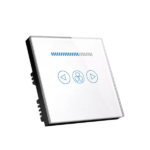
Smart Fan speed switch:
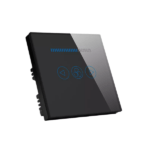
Smart Fan speed switch allows wireless control of fan speed through a smartphone app. Smart fan switch supports a maximum voltage of 240V and comes in white or black. fan switch features a backlight with red or blue color options for easy identification. Smart fan switch operates on WIFI 2.4GHz frequency with WPA/WPA2 security. With its compact size of 86*86*38mm, fan speed controller is easy to install. Fan control switch has a rated current of 6A, suitable for most standard fans.
Design of Smart Fan Speed Switch:
Smart Fan dimmer switch has a sleek design and compact size. It allows effortless adjustment of fan speed through a smartphone app. Smart dimmer connects to your home network via Wi-Fi and has a vibrant backlight indicator. Smart switch ensures a secure connection with WPA/WPA2 security protocols. It is compatible with standard fans and supports voice control. The mobile app enables scheduling and automation for personalized comfort and energy efficiency.
Installation of Smart Fan Dimmer:
Smart Fan Speed Switch requires basic electrical knowledge and wiring skills. Follow these steps for installation:
1. Turn off the power.
2. Remove the existing switch.
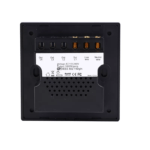
3. Connect the Smart Fan Speed Switch to the fan’s wires.
4. Mount the switch securely.
5. Power on and connect to WIFI .
For compatibility, ensure your fan operates within the switch’s voltage and current limits. Check wiring and mobile app compatibility with your specific setup.
FAQs
[accordion-item title=”Can I control multiple fans with a single Smart Fan Speed WIFI Switch?”]
No, each fan requires its own Smart Fan Speed for individual control.
[/accordion-item]
[accordion-item title=”How do I install the smart fan dimmer switch?”]
Smart fan dimmer switch installed like a traditional switch by replacing your existing switch. It requires basic electrical knowledge and wiring skills. Consult a professional if you are unsure.
[/accordion-item]
[accordion-item title=”Is the smartphone app compatible with both iOS and Android devices?”]
Both iOS and Android devices can use the smartphone application. It is available for download from the relevant app stores.
[/accordion-item]
[accordion-item title=”Can I schedule fan speed controller changes?”]
The smartphone application allows you to set schedules for automatic fan speed changes, providing convenience and energy efficiency.
[/accordion-item]
[accordion-item title=”Is the Smart fan switch compatible with voice assistants like Alexa or Google Assistant?”]
Yes, fan switch supports integration with popular voice assistants, allowing you to control your fan speed through voice commands.
[/accordion-item]
[accordion-item title=”Can I manually control the fan speed without using the smartphone application?”]
Yes, the switch is equipped with manual controls on the device itself, enabling you to adjust the fan speed directly.
[/accordion-item]
